Clearframe
Replaces Hello Elementor. A plain frame (header, footer, readable defaults) for pages built with the Page Builder module, on the shared theme kit. Brings Hello Elementor’s header, footer and site settings across.
Not open yet No card
Description
Replaces Hello Elementor. A plain frame (header, footer, readable defaults) for pages built with the Page Builder module, on the shared theme kit. Brings Hello Elementor’s header, footer and site settings across.
It replaces the Hello Elementor theme for WordPress (its own page). A site moving from Hello Elementor picks up Clearframe and can bring its theme settings with it.
- The look
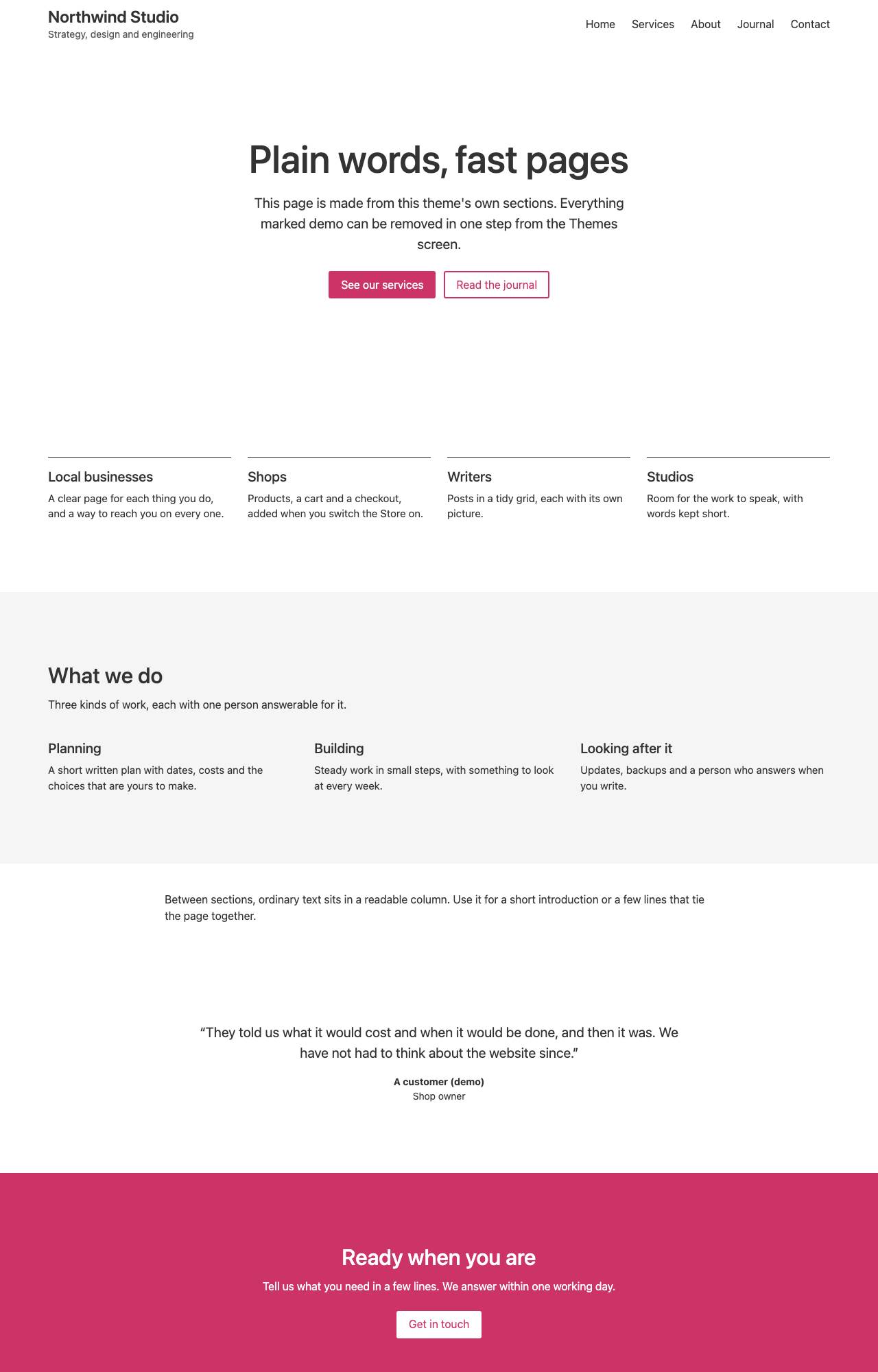
- Next to nothing, on purpose: a plain header and footer and readable defaults around pages that bring their own look.
- Best for
- Any site moving from Hello Elementor together with the Page Builder module, which brings the Elementor pages across.
- Page layouts
- Home (latest posts), List of posts, Single post, Page, Canvas page (full-width sections), Search, Not found.
- Built on
- The shared theme kit (Core 0.1.27 or later).
Good to know
- Fresh code under our own name. No code, styles, wording or pictures of Hello Elementor are used.
- Starts with the arrangement, colours, type sizes and widths of a new Hello Elementor site, taken from that theme’s own defaults.
- No font files are loaded from anywhere. A named font becomes the nearest family already on visitors’ devices, and the import report says which.
- The header and footer are arranged under Customize. The Canvas page template and its five sections are the theme kit’s, shared by every kit theme.
- Meant to be used with the Page Builder module, which replaces Elementor and brings its pages across. Without it this is simply a very plain theme.
- Hello Elementor’s own switches under Theme Settings (description meta tag, skip link, page title, its stylesheets) have no equivalent here and need none: this theme always has a skip link and a page title that each page can hide.
What comes across
What Clearframe reads from the old theme's settings, and what it leaves behind. Each import ends with a report that names anything it could not carry.
- From Hello Elementor header, footer and site settings (the Elementor kit)
- Comes across: Hello Elementor’s own header and footer options: site logo or title, tagline, menu and copyright shown or hidden; the default, inverted or centred header arrangement; boxed or full width; header and footer background, title and menu colours; logo width; where the menu collapses; the copyright text. And the kit’s site settings: the four site colours and colours the owner added (followed wherever a setting points at them), page background, text, link, heading and button colours, body, heading and button fonts (as the nearest built-in family), sizes, weights and line spacing, button rounding and the content width.
- Does not: The pages themselves: they are brought across by the Page Builder module’s importer, not by this one. A header or footer built in Elementor’s Theme Builder (not with Hello’s own options). The kit’s form-field, image and lightbox styles, custom CSS, and anything set for single widgets. Sizes given as a share of the screen; see-through colours; a font, weight or colour of its own for one heading level; the fonts themselves; the logo and menus. Each is named in the import report when the file has it. Not yet verified against a live export: the fixture is synthetic, and the names of the kit’s site-wide colour, type and button settings are inferred from Elementor’s documented data format.
- Not yet verified against a live export: this importer has only been tested on sample files we wrote from the documented format.
Using a WordPress theme that is not in the directory? A theme is built for your site On The Fly. How that works
Changelog
1.0.2 November 17, 2026
Clearframe 1.0.2: rebuilt from the shared parts, which changed for the other themes. No change in what it does.
1.0.1 November 17, 2026
Clearframe 1.0.1: list pictures fill their width and keep their room while loading.
1.0.0 November 17, 2026
Clearframe 1.0.0: replaces Hello Elementor. A plain frame (header, footer, readable defaults) meant to be used with the Page Builder module, which brings the Elementor pages across. Reads Hello Elementor's header and footer options and the site-wide colours, fonts, sizes and width from an Elementor kit's site settings. Buttons are filled and links in text are underlined, on purpose. The test file is synthetic and the names of the kit's site-wide settings are inferred from Elementor's documented format; not yet verified against a live export.
Get Clearframe when WebHD opens
One form on the home page: your WordPress address, then your email.
No card Takes a minute No fake scan